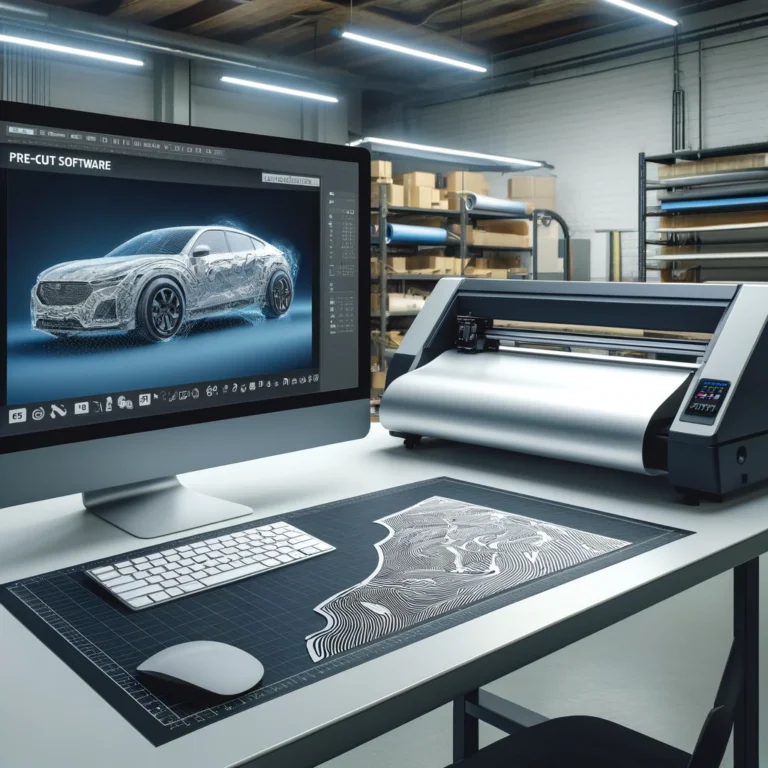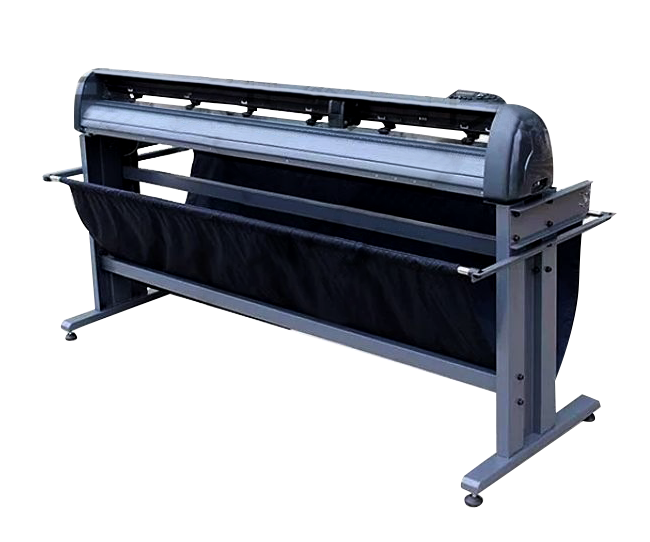

When it comes to pre-cut software, choosing the right plotter is crucial to achieve precise, professional results. Our software works seamlessly with genuine USB non-encrypted plotters, offering a wide range of compatibility and reliable performance. If your plotter is encrypted, don’t worry—we can assist you with unlocking solutions. However, it is important to note that the software is not compatible with laser cutters.
Key Features of Compatible Plotters
-
Genuine USB Non-Encrypted Plotters: These plotters are directly supported by our software, ensuring smooth operation and hassle-free installation.
-
Versatility: Suitable for cutting a variety of materials including automotive films, PPF (Paint Protection Film), and other vinyl products.
-
Precision Cutting: High accuracy to meet the demands of detailed patterns and designs.
Plotters Recommended by PROTEXA tech
We recommend the following PROTEXA tech-branded plotters, which deliver outstanding performance and customizable branding options:
-
PROTEXA FlatMaster Pro
-
Made of durable aluminum alloy material with a weighted frame for stability.
-
Features silent high-wind centrifugal turbine adsorption for wrinkle-free cuts.
-
Operates offline with a USB stick and supports full automation with camera patrol functionality.
-
Maximum cutting width: 1550mm; Maximum speed: 1500mm/s.
-
-
PROTEXA SpeedCut Expert
-
Designed for rapid cutting of any window film and tinted film with high precision.
-
Equipped with imported servo motors for exceptional stability and speed.
-
Fully compatible with pre-cut software for seamless operation.
-
Why Avoid Laser Cutters?
Our pre-cut software is not compatible with laser cutters because they rely on a completely different cutting mechanism, which can cause material degradation, especially with PPF and vinyl. Laser cutters are better suited for rigid materials like wood, metal, or acrylic.
Need Assistance?
If you’re unsure about the compatibility of your plotter or require customized branding options, we’re here to help. Our team can provide support and guidance to ensure that you get the most out of your PROTEXA tech plotter and pre-cut software combination.
Conclusion
Selecting the right plotter is the first step toward achieving flawless results with pre-cut software. By choosing a PROTEXA tech plotter, you can ensure precision, reliability, and efficiency in your projects. If you have any questions about compatibility or need recommendations, feel free to contact us for expert advice!
How to identify the best plotter for pre-cut software
If you are searching for the best plotter for pre-cut software, start with compatibility rather than advertised cutting speed. A plotter can have excellent mechanical specifications and still disrupt production if it uses encrypted communication, unreliable drivers, or a controller that cannot accept standard cutting data from ProtexaTech. Genuine USB and serial communication support remains the safest baseline for a stable workflow.
Comparison criteria that matter in a film shop
| Criteria | Why it matters | What to check before purchase |
|---|---|---|
| Software compatibility | Confirms the plotter accepts ProtexaTech cutting output | Verify genuine USB or serial support and confirm the model with support |
| Cutting accuracy | Affects edge quality and panel fit | Ask for repeated curve, corner, and long-line test results |
| Material handling | Prevents drift, wrinkles, and skew | Test your actual PPF, vinyl, and tint rolls |
| Cutting width | Determines nesting options and material efficiency | Match the width to your common roll sizes and largest panels |
| Blade control | Protects backing and reduces rework | Confirm force, speed, and offset adjustments |
| Service and parts | Protects long-term uptime | Confirm local or remote support, blades, belts, and spare parts |
Production-ready plotter checklist
- Confirm compatibility first. Provide the exact plotter model, controller version, connection type, and region to ProtexaTech before purchase.
- Test material, not only paper. A blade that cuts paper cleanly may drag, over-cut, or curl protective film.
- Run mixed test patterns. Combine long straight lines, tight bumper curves, mirror shapes, small text, and corners.
- Check tracking over full length. Load the widest roll you plan to use and inspect whether the material stays square.
- Record approved settings. Save force, speed, offset, blade type, and material presets for every film you stock.
- Evaluate service response. A lower purchase price becomes expensive when a machine waits days for support.
Machine options for professional workflows
The PRO-905X is suitable for shops that need an integrated professional cutting platform with stable material handling, camera positioning, and multiple width options. The Flatbed Machine is a strong option when stable support for larger sheet-style production is the priority. Both are designed to work alongside ProtexaTech pre-cut software.
Common plotter problems and prevention
- Dragged corners: usually blade offset, force, or blade depth; recalibrate after changing blades.
- Material drift: check loading alignment, roller pressure, and whether the roll is square before cutting.
- Backing cuts: reduce force and verify material thickness rather than compensating globally.
- Random connection loss: use a direct genuine USB connection and avoid unreliable adapters.
- Poor nesting yield: confirm roll width, material margins, and nesting settings in the software.
Plotter FAQ
Do I need the most expensive plotter available?
No. Choose the machine that matches your service volume, common roll widths, and support requirements. Reliable compatibility and material control matter more than maximum speed for most workshops.
Can I use an encrypted or converted plotter?
Encrypted or non-standard communication can prevent reliable output. Always confirm compatibility before buying.
Should I buy a wider machine later?
If you plan full-body PPF or higher-volume nesting, select a compatible wider platform early. A wider cutting area can improve nesting efficiency and reduce material joins.
Next step: review PRO-905X, Flatbed Machine, or contact ProtexaTech to verify your current plotter.